Unlocking Efficiency: How a JSON Formatter Can Simplify Your Workflow
Every developer, data analyst, and API integrator knows the sinking feeling of opening a webhook payload or server response only to be greeted by a single wall of unformatted text stretching 15,000 characters across one line. Finding a missing comma or deciphering a nested array in raw machine output is an unnecessary drain on your cognitive energy. That is where an advanced JSON formatter becomes an indispensable weapon in your engineering toolkit.
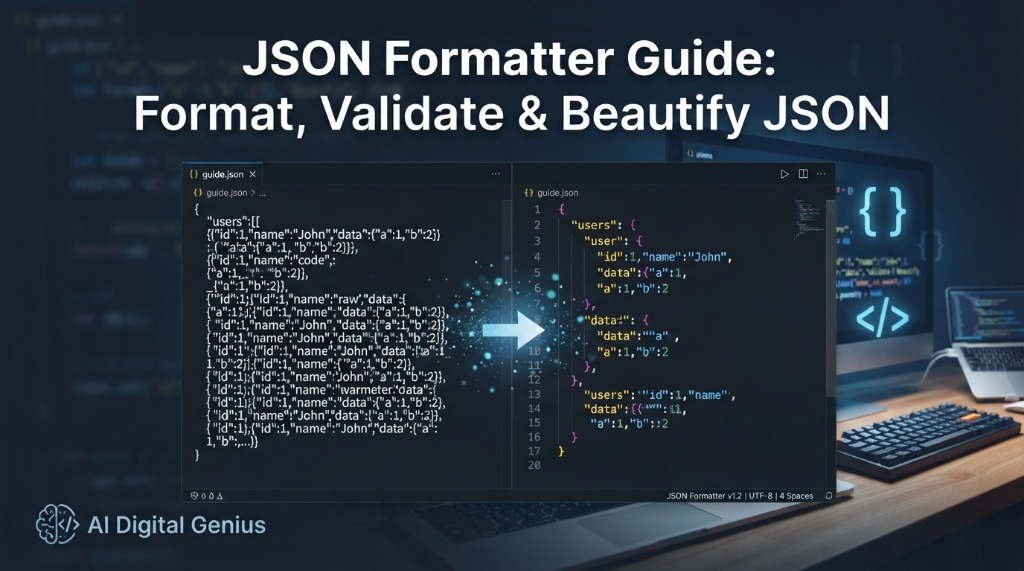
Whether you need a quick json online formatter to debug an API response, a robust json object formatter to navigate deeply nested schemas, or a reliable json corrector online to catch subtle syntax glitches, proper formatting transforms messy data into structured, actionable intelligence. In this comprehensive guide, we will explore why JSON formatting matters, break down the top tools, show you how a json validator and beautifier fixes common errors, and share actionable tips to supercharge your daily workflow.
Key Takeaways & Quick Summary
- What is a JSON Formatter? A developer utility that parses minified, raw, or malformed JSON, validates its syntax against the RFC 8259 specification, and renders it with clean visual indentation, spacing, and collapsible trees.
- Core Benefits: Drastically improved readability, instant error reduction, automated quote/comma correction, and faster development triage.
- Privacy-First Tools: When choosing a json formatter online free, prioritize tools like the AI Digital Genius JSON Formatter that execute 100% client-side in your browser without logging proprietary payload data.
- Multi-Format Flexibility: Advanced suites like our JSON Toolkit and JSON to Excel Converter let you convert, export, and inspect data across formats seamlessly.
What is JSON? The Universal Language of Web APIs
JSON (JavaScript Object Notation) is a lightweight, text-based, language-independent data-interchange format defined by the ECMA-404 standard. Originally popularized by Douglas Crockford in the early 2000s, JSON quickly replaced XML as the dominant format for client-server communication across modern REST APIs, GraphQL endpoints, NoSQL databases (like MongoDB and CouchDB), and configuration files (such as package.json and tsconfig.json).
JSON represents structured data using two universal data structures:
- A collection of name/value pairs: Variously called an object, record, struct, dictionary, or hash table. In JSON, object keys must always be enclosed in double quotes (e.g.,
"username": "alex99"). - An ordered list of values: An array, vector, list, or sequence enclosed in square brackets (e.g.,
["frontend", "backend", "devops"]).
While machines effortlessly parse dense, single-line JSON strings stripped of all whitespace, human engineers struggle to inspect them. This brings us to the fundamental importance of structured formatting.
The Importance of JSON Formatting: Why It Matters for Developers
When APIs exchange data over the wire, payload size directly impacts network latency. Production systems frequently strip all tabs, spaces, and newline characters to minimize bandwidth—a process known as minification. However, the moment you need to inspect, debug, or document that payload, minified data becomes an obstacle.
1. Improved Readability
An effective json prettifier converts a monolithic text blob into a clear visual hierarchy. By applying standard 2-space or 4-space indentation, your eyes can instantly distinguish root-level attributes from nested child objects and array elements. Color-coded syntax highlighting further differentiates keys, string values, numbers, booleans, and null tokens.
2. Instant Error Reduction
Few bugs are as maddening as a runtime exception like SyntaxError: Unexpected token ' in JSON at position 42. A dedicated json formatter validator flags the exact line and character where a syntax rule was broken, saving you from hunting through thousands of characters manually.
3. Faster Development Times
Software development velocity depends on the speed of your feedback loops. When testing third-party webhooks (Stripe, Shopify, GitHub) or inspecting database collections, using an online json beautify utility shortens debugging cycles from minutes to seconds, letting you diagnose data discrepancies immediately.
Types of JSON Formatters: Understanding Your Options
Depending on your development environment and the task at hand, different styles of JSON formatters serve distinct needs:
1. JSON Online Formatter
A browser-based json online formatter requires zero setup, works on any operating system, and is accessible from any workstation. You simply paste your payload or URL, and the tool renders formatted, highlighted data instantly. Our free JSON Formatter & Validator provides instant formatting with one-click copy and file download.
2. JSON Object Formatter
When working with large, multi-level objects containing arrays of records, a simple text beautifier may still be difficult to read. A json object formatter includes collapsible tree nodes, allowing you to fold away massive arrays and drill down into the specific nested branch you care about.
3. JSON File Formatter
Handling large payloads that exceed clipboard limits requires a json file formatter. These utilities accept direct .json file uploads, parse multi-megabyte payloads in web workers without freezing your browser tab, and let you export the cleaned, formatted file with proper encoding.
4. JS JSON Formatter (JavaScript Context)
Developers writing JavaScript or TypeScript frequently need a js json formatter to reconcile JavaScript object literal syntax with strict JSON syntax. In JS, single quotes, unquoted keys, and trailing commas are completely valid code, but they cause standard JSON.parse() to fail. A specialized formatter bridges this gap.
Features to Look For in a Modern JSON Formatter
Not all formatting tools are created equal. When evaluating a json free formatter for your daily workflow, ensure it provides these core capabilities:
1. Real-Time Syntax Validation
A robust json formatter validator identifies syntax violations instantly, highlighting the exact row, column, and expected token rather than failing silently.
2. JSON Corrector & Auto-Repair
An intelligent json corrector online can automatically convert single quotes to double quotes, wrap bare object keys, and strip trailing commas with a single click.
3. Zero-Server Client Privacy
Never paste customer records, API keys, or sensitive payloads into tools that send data to a remote backend. Always verify the tool runs 100% locally in your client browser.
4. Conversion & Export Options
Seamless interoperability is essential. Look for formatters connected to tools like JSON to Excel, XML to JSON, and XLSX to CSV.
Comparison of Popular JSON Formatting Solutions
Developers typically choose between browser-based formatters, IDE extensions, and command-line interfaces. Here is how they compare across key operational criteria:
| Tool Type | Setup Required | Validation & Error Hints | Tree View & Folding | Data Privacy | Best For |
|---|---|---|---|---|---|
| AI Digital Genius JSON Formatter | None (Instant Web) | Real-time line/col pinpointing | Interactive collapsible nodes | 100% Browser Local (Safe) | Fast API debugging, team sharing, payload inspection |
| VS Code / IDE Built-in | Requires IDE Installation | Built-in linter & schema support | Code folding markers | Local filesystem only | Active coding inside an established project repository |
CLI Utility (jq) |
Terminal package install | Terminal parse errors | Terminal pager output | Local machine execution | Shell scripts, CI/CD pipelines, curl streaming |
| Ad-Heavy Legacy Formatters | None (Web) | Basic alert boxes | Often plain text only | Risk of remote server logging | Quick one-off checks (caution with private data) |
Common JSON Errors and How a Formatter Can Fix Them
JSON has a notoriously strict grammar. Unlike JavaScript or Python dictionaries, the JSON standard allows zero flexibility. Below are five common syntax blunders and how a json corrector online identifies and resolves them.
1. Single Quotes Instead of Double Quotes
In standard JSON, strings and keys must use double quotation marks ("). Single quotes (') will trigger an immediate parse failure.
{
  'id': 101,
  'role': 'administrator'
}{
"id": 101,
"role": "administrator"
}2. Trailing Commas in Objects or Arrays
Modern JavaScript allows trailing commas after the last item, but JSON strictly forbids them. A dangling comma right before a closing bracket } or ] is one of the most frequent errors encountered by developers.
{
  "project": "Genius AI",
  "tags": ["seo", "ai", "tools",],
}{
"project": "Genius AI",
"tags": ["seo", "ai", "tools"]
}3. Unquoted Property Keys
When copying an object out of a Node.js console log or a browser developer tools window, keys are often unquoted object identifiers. A json validator and beautifier detects the missing quotes and wraps them properly.
{
  status: "success",
  code: 200
}{
"status": "success",
"code": 200
}4. Unescaped Characters and Raw Line Breaks
Strings in JSON cannot contain raw unescaped newlines or unescaped control characters. They must be escaped using \n, \t, or \\. Formatters instantly catch illegal raw line breaks and highlight the line break location.
5. Invalid Number Formats (Leading Zeroes, NaN, Infinity)
In JSON, numbers cannot have leading zeroes (e.g., 054 is invalid; use 54 or string "054"), nor does JSON support NaN or Infinity values. If your API outputs NaN, a validator flags it immediately so you can handle missing values properly before storing them in your database.
Transform Your Data with These Essential JSON Formatter Tips and Tricks
To get the most out of your formatting workflow, incorporate these proven engineering habits:
Tip 1: Format Programmatically in JavaScript
You do not always need an external UI when debugging local code. The native JavaScript JSON.stringify() method accepts three arguments: the value, an optional replacer function, and the space count:
// Pretty-print any JavaScript object with 2-space indentation
const formattedJson = JSON.stringify(apiResponse, null, 2);
console.log(formattedJson);
Tip 2: Minify for Production, Prettify for Audit
Keep a clear distinction between data at rest, data in flight, and data under inspection. In production network transfers, minify your payloads to reduce transfer sizes. When logging for Sentry, Datadog, or human review, use structured formatting or a json prettifier to preserve team sanity.
Tip 3: Leverage Tree Views for 10,000+ Line Files
When dealing with massive database exports or multi-megabyte geo-spatial GeoJSON files, scrolling through a text editor becomes sluggish. Use an interactive tool like our Free JSON Viewer & Tree Explorer to collapse inactive nodes and pinpoint the exact keys you need.
Tip 4: Export to Excel for Non-Technical Stakeholders
Marketers, finance teams, and product managers rarely want raw JSON. When you need to share API data with cross-functional partners, use our JSON to Excel Converter to transform nested arrays into structured tables and workbooks in seconds.
How to Use Our Free Online JSON Formatter
We built the AI Digital Genius JSON Formatter with speed, clean visual design, and absolute privacy in mind:
- Paste Your Payload: Copy your raw, minified, or unformatted JSON and paste it into the editor window.
- Instant Auto-Validation: The editor checks your syntax in real time. If there is a missing bracket, quote, or illegal character, an informative error message shows the exact position.
- Click "Beautify": Instantly format your data with standard indentation, collapsible tree nodes, and clean syntax highlighting.
- One-Click Copy or Download: Copy the cleaned JSON to your clipboard or download it directly as a
.jsonfile to your machine.
Recap of JSON Formatter Benefits
- ✓ Zero Cognitive Strain: No more squinting through endless lines of unindented text strings.
- ✓ Instant Debugging: Pinpoint missing quotes, invalid brackets, and trailing commas in milliseconds.
- ✓ Safer Deployments: Ensure configuration files and API requests strictly adhere to standard RFC schemas before deployment.
- ✓ Cross-Functional Collaboration: Convert complex developer objects into spreadsheets and formats anyone on your team can interpret.
Final Thoughts on JSON Efficiency
Modern software development is built on APIs. Spending precious engineering hours manually fixing quotes, searching for mismatched brackets, or deciphering wall-of-text payloads is an inefficient use of your time. By incorporating a fast, secure, and privacy-conscious json online formatter into your daily workflow, you eliminate friction, eliminate syntax bugs before they hit production, and unlock greater coding velocity.
Explore our complete suite of free developer utilities today, including the Free JSON Formatter & Validator, the Interactive JSON Toolkit, the XML to JSON Converter, and our in-depth JSON Specification Guide.
Frequently Asked Questions About JSON Formatting
What does a JSON formatter actually do?
A JSON formatter takes raw, minified, or unindented JSON text, validates its syntax against the ECMA-404 / RFC 8259 standard, and reconstructs it with clean spacing, line breaks, and indentation (typically 2 or 4 spaces). This makes nested objects and arrays easy for humans to read, inspect, and debug.
Is it safe to format sensitive JSON data using an online formatter?
It depends on the tool. Many older formatting sites send your data to a remote web server for processing, which poses security risks for API keys or user data. However, modern tools like the AI Digital Genius JSON Formatter execute 100% client-side in your web browser using JavaScript, meaning your data never leaves your computer.
What is the difference between JSON minification and JSON beautification?
JSON minification removes all unnecessary spaces, tabs, and newlines to compress the payload size for high-speed network transmission. JSON beautification (prettifying) adds indentation, line breaks, and color highlighting so human developers can easily read and debug the structure.
Why does JSON not allow single quotes?
The JSON specification (RFC 8259) strictly mandates double quotation marks for all keys and string values to ensure strict consistency across hundreds of different programming languages. While JavaScript allows single quotes for string literals, standard JSON parsers will reject them as invalid syntax.
How can a JSON corrector online fix malformed data?
A JSON corrector analyzes common syntax errors—such as unquoted keys, single quotes, trailing commas, or misplaced brackets—and applies heuristic transformations to convert the input into valid, standardized JSON that passes RFC validation.
Can I format JSON files larger than 10MB online?
Yes. Specialized JSON file formatters and toolkits that use browser Web Workers or streaming parsers can format large files up to several tens of megabytes directly in your browser without freezing your user interface.
Expert Resources & References
Free Developer_Tools
- Online JSON Formatter & Validator
Format, beautify, validate, and minify JSON payloads safely in your browser.
- Interactive JSON Toolkit
All-in-one suite for formatting, inspecting, and converting JSON files.
- JSON to Excel Converter
Convert complex nested JSON data into clean Excel (.xlsx) spreadsheets.
- JSON Specification & Data Types Guide
Comprehensive reference on JavaScript Object Notation standards and data types.
Ready to Create Your Marketing Plan?
Use our free AI-powered marketing plan generator to create a comprehensive, data-driven marketing strategy tailored to your business.
Generate Your Marketing Plan